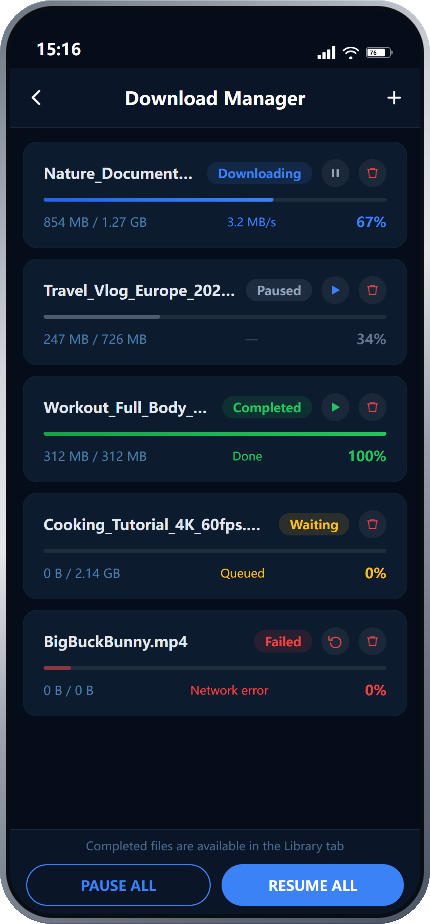

Your local video library — and a full toolkit for every video.
Browse, search, and manage all your local videos in one place.
Every video in your library is a starting point — tap any file
to play it, or open the Toolkit to process it directly.
• List view with video thumbnails, duration badges, and file size
• Grid view for a visual browsing experience — switch with one tap
• Sort by date added, file name, or file size
• Search by file name to quickly locate any video
• Per-video Toolkit access: trim, clip, convert format, compress, extract audio, take screenshots, or create GIFs — all without leaving your library
• Move any video into Private Folder to keep it hidden and PIN-protected
• Per-video action menu: play, rename, move, delete
• Download shortcut in the toolbar — jump to active downloads instantly
• Completed downloads appear here automatically — no manual import needed
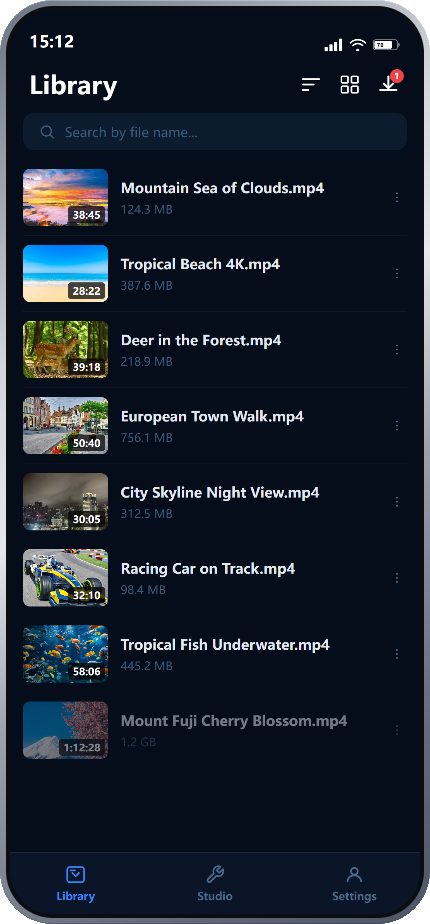
A powerful player. With pro tools built in.
Play any video in full-screen with smooth, immersive playback.
Then open the bottom tool panel to access a full set of built-in
processing tools — without ever leaving the player.
• Plays most formats right out of the box: MP4, MKV, MOV, AVI, WebM, FLV, and more
• Full-screen immersive playback — swipe to seek, adjust brightness or volume
• Playback speed control: 0.25× to 3.0×
• Skip Intro / Skip Outro with customizable time zones
• Picture-in-Picture: keep watching while using other apps
• Cast Screen: mirror to TV or external display via Miracast
• Touch Lock: prevents accidental taps during playback
• Subtitles: load and display external subtitle files
• Color Adjust: tune brightness, contrast, and saturation on the fly
• Equalizer: customize audio output with a built-in equalizer
• Extract Audio: pull the audio track from any video, right from the player
• Convert: transcode video format without leaving the playback screen
• Trim: cut the video to keep only the part you want
• Compress: reduce file size with a single tap
• Screenshot: capture any frame as an image
• Per-file playback position memory — resumes exactly where you left off
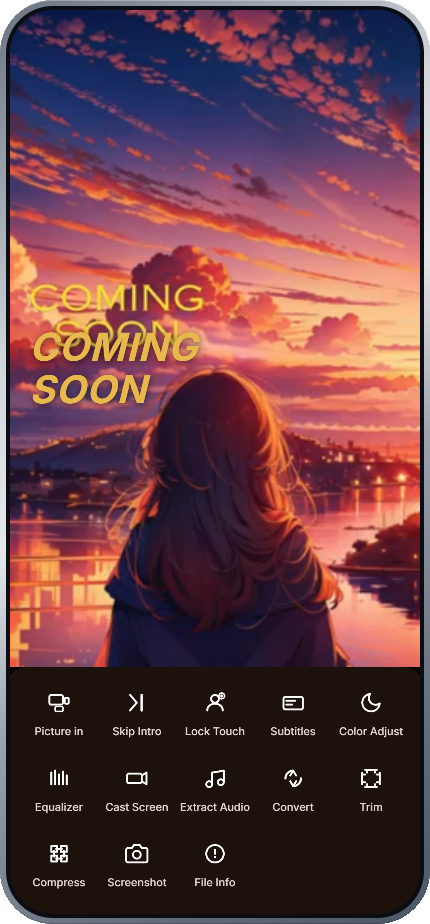
All your processed files, organized in one place.
Studio is the central hub for managing the output of every tool —
processed videos, downloaded files, and private content.
Everything is grouped by source, so you always know where to find it.
TOOL ARCHIVES
Each Toolkit tool has its own archive. Files processed by a tool are
saved here automatically — browse, play, share, or delete them any time.
• Format Convert — converted video files
• Video Clip — trimmed and clipped video segments
• Compress — compressed video files ready for sharing
• Extract Audio — extracted audio tracks in MP3, M4A, AAC, or FLAC
• Screenshot — frames captured from videos
• Create GIF — animated GIFs generated from video clips
FILE MANAGEMENT
• Downloads — all files downloaded via the Download Manager, in one place
• Private Folder — PIN-protected space for personal and sensitive videos,
completely hidden from the main Library
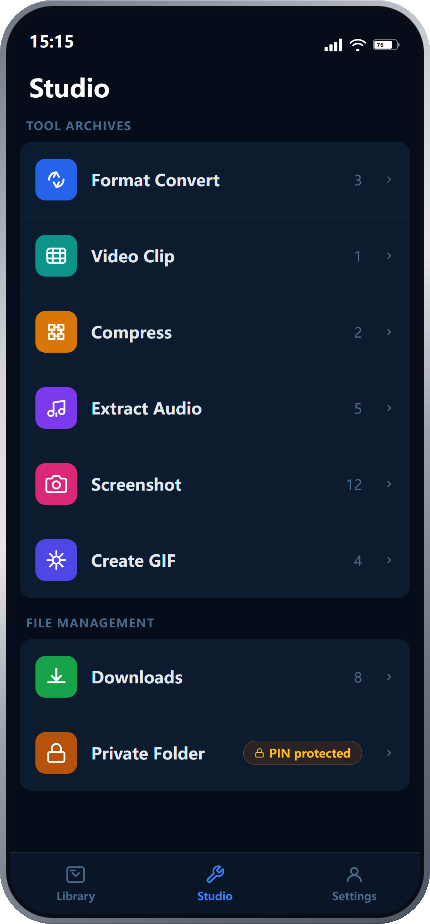
Download from a direct link. Track everything in real time.
Paste a direct file URL and the Download Manager handles the rest —
with full visibility and control over every active, paused,
completed, or failed download, all in one place.
Note: this downloader supports direct file links only (e.g. .mp4, .mkv, .mp3).
It does not support streaming video parsing or webpage video extraction.
• Paste any direct file URL to start downloading instantly
• Real-time progress tracking: percentage, downloaded size vs. total size, and current speed
• Multiple simultaneous downloads — no need to wait for one to finish before starting another
• Pause and resume individual downloads at any time
• Retry failed downloads with a single tap — picks up automatically
• Per-task status indicators: Downloading, Paused, Completed, Waiting, Failed
• Queue management: new downloads enter the queue and start automatically
• Pause All / Resume All controls for batch management
• Completed files are immediately accessible from the Library tab — ready to play or process right away
• Wi-Fi only mode: restrict downloads to Wi-Fi to protect mobile data